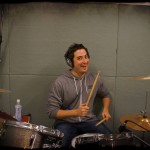
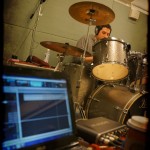
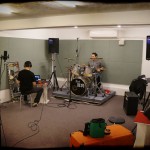
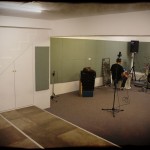
Yesterday, I ventured out and into a rehearsal room here in Taichung to record live drums for Chris Bailey and my upcoming Suncake Lounge Vol. 2 album. I always have a little trepidation when working with live drums, because I’m so used to working with drum loops. Recording live drums and working with the resulting seperate drum tracks is another beast altogether. But I like to think that there’s no right or wrong way when it comes to recording, as long as you end up with usuable results – and in this case we most definitely did.
Make your own photo slideshow at Animoto.
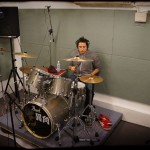
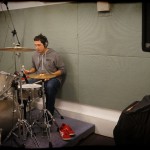
Drummer Dave Ramey kindly agreed to drum on the album on very short notice and very little time to prepare. He did a sterling job though and we powered through the 15 tracks with a single take for each. I’ll probably end up cutting loops from the recorded material, taking care to keep most of the fills and flourishes that Dave added – these have really made the tracks come to life.
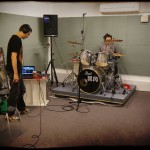
We worked with the kit that was in the rehearsal room. It’s obviously not the best kit in the world, but I really like the flavor it brings. There’s something loose and vintage sounding about it. The same goes for the room itself – it’s not going to give the same results as a dedicated drum room, but it has its own character.
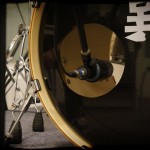
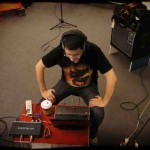
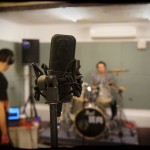
I brought in my M-Audio Fast Track Ultra and recorded on 5 tracks straight to Sonar X1. I miked the snare with an SM-57 and the kick with a locally made Superlux PRO218A that I bought for this session. I used the Zoom H2 Handy recorder as a stereo overhead. Finally, I had an Audio Technica AT4033 a couple of metres back as a room mic. Now that I’m mixing the drum tracks and after working in detail on the seperate kick and snare tracks, I’m finding the room mic really useful for blending the sound back together and adding some cohesion again. I’ve also added a dash of reverb from the freeware epicVerb VST, again to add a sense of cohesion.
[audio: http://moshang.net/audio/Dave_Ramey_100bpm.mp3]
Download the mp3
So far I’m pleased with the sound of the drums in isolation, but there’s still going to be a lot of fiddling to get the drums to suit each individual track. I may also blend in some of the loops that we’ve using for the tracks up to this point – just for variety, if nothing else.
 So remember two posts down where I said I’ll save up all my Second Life earnings and buy a new computer in about 6 months? Yeah, right – me and my stealy resolve. I’ve buckled, borrowed money from myself and bought a new machine on Saturday – hey, I can still pay the loan back with SL earnings, right? Here are the specs: